
V
≡

A tool for working with archival collections

Archival research,
made simpler.

A desktop app for researchers to browse, organise, and cite archival sources in one workspace — both offline and online.

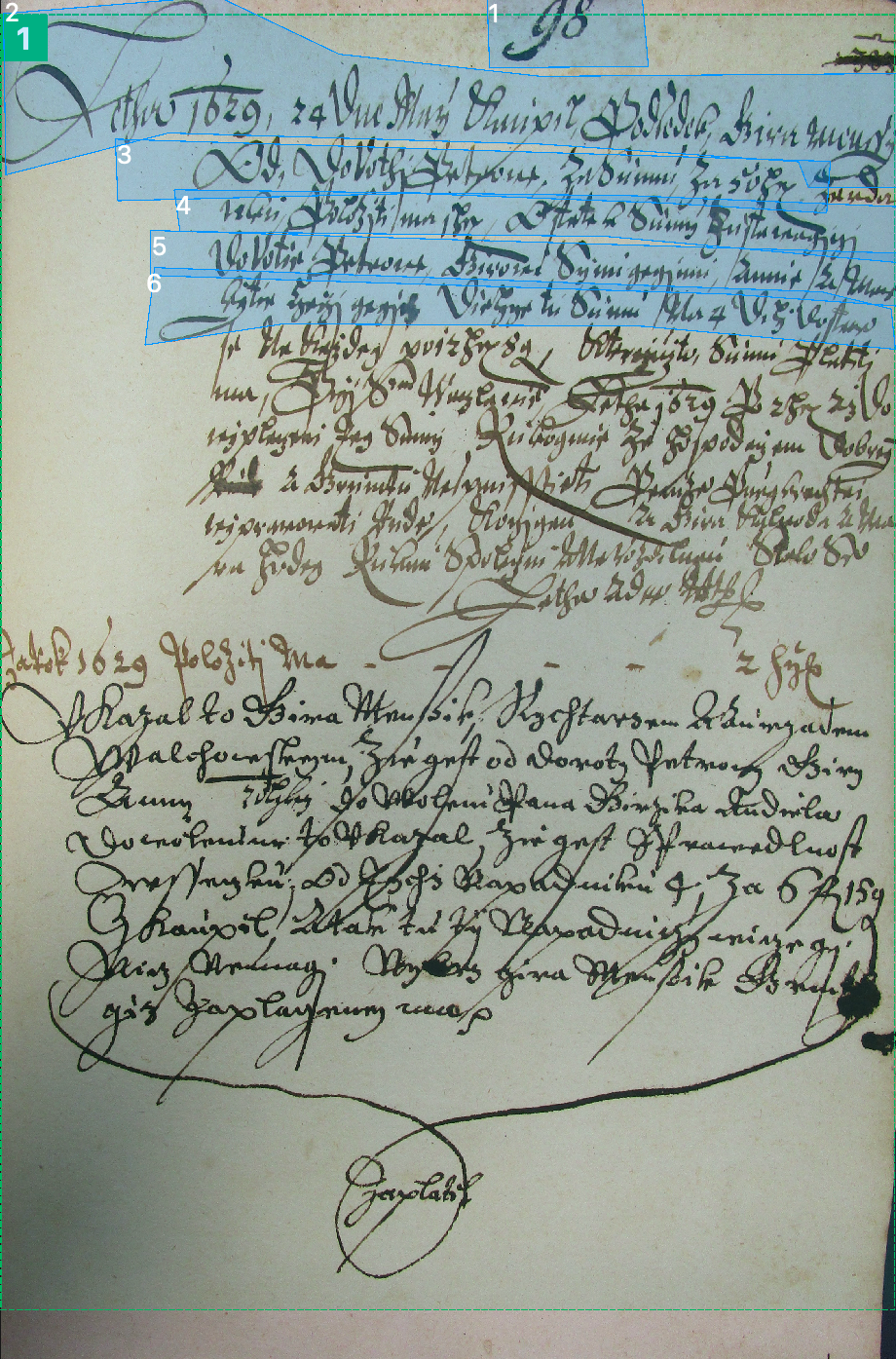
Manuscript with lines marked for transcription in Vestigia Scriptorium
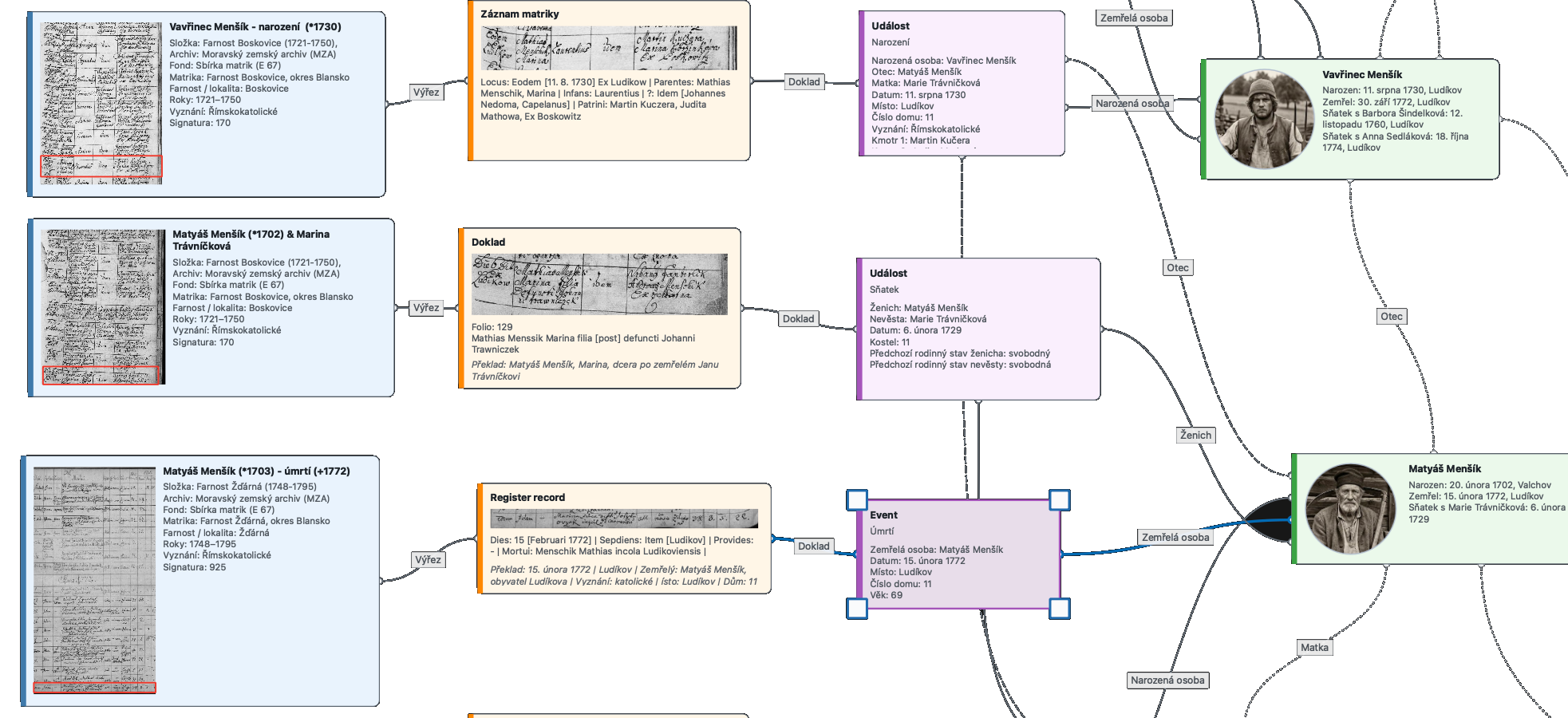
Genealogical graph connecting sources, events and people
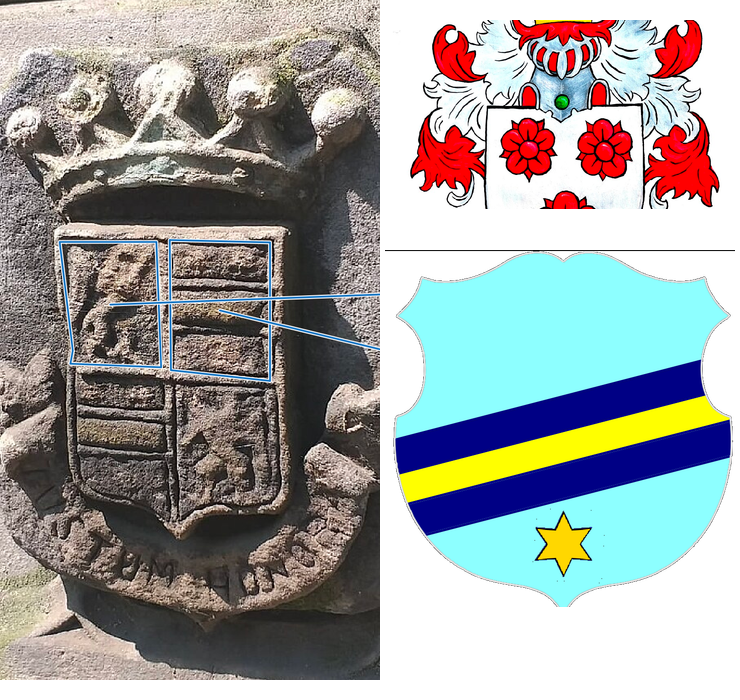
Comparison of a historical coat of arms and its reconstruction
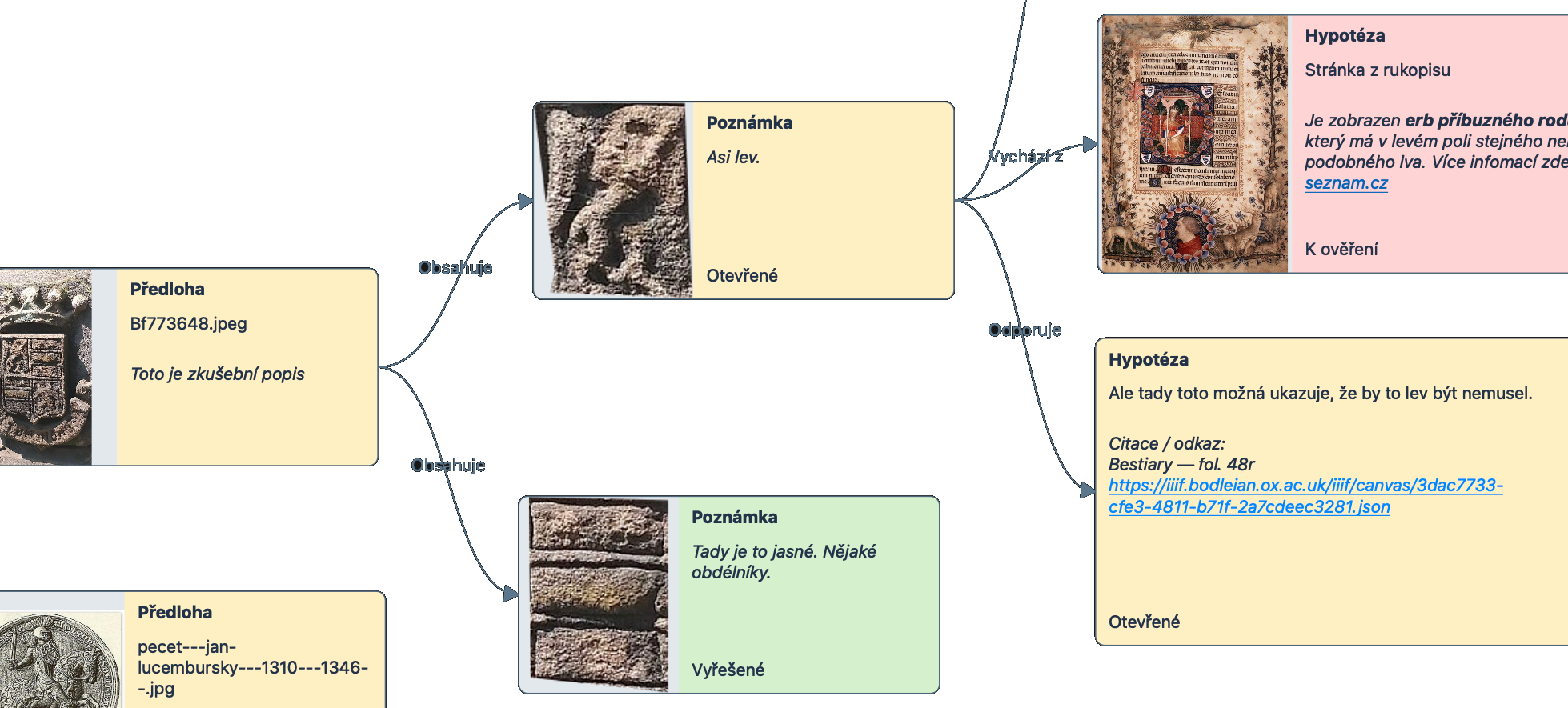
Research notes and hypotheses linked to sources
Offlinework without a connection
Openextensible with plugins

Features

Everything a researcher needs in one place

The app evolves directly from feedback from the research community.

Research workspace

Vestigia Scriptorium

A unified workspace for genealogy, history, and research with archival sources.

Projects and data

  • Connect structured data, images, and scholarly transcriptions
  • Organise research into separate projects
  • Navigate a clear project tree and work in multiple open tabs
  • Manage multimedia and source metadata together
  • Record archives, fonds, reference codes, inventory numbers, and related data

Research workflow

  • View images as thumbnails or in tables
  • Catalogue images by source type
  • Edit attributes quickly in the integrated Property Grid
  • Use full-text search across a project
  • Track changes with Undo and Redo

Open platform

  • Export research outputs and reports
  • Use a localised English interface
  • Extend the application through plugins and Python scripting
  • Prepare links between related data across modules
  • Manage and download historical handwriting recognition models online

Specialist module

Genealogy

Structured genealogical and prosopographical research, from archival evidence to diagrams and reports.

People and sources

  • Create genealogical and prosopographical projects
  • Record people, events, sources, and their relationships
  • Work with births, marriages, deaths, and other life events
  • Record dates, places, occupations, religions, and other genealogical details
  • Link images to registers, records, and people
  • Catalogue photographs, register pages, and record crops

Relationships and exchange

  • Visualise links between registers, records, events, and people
  • Create genealogical diagrams
  • Inherit source information from parent multimedia folders
  • Import GEDCOM 5.5.1, GEDCOM 7, and GEDZIP
  • Use multiple ways to organise genealogical data
  • Search people and related information

Research outputs

  • Generate genealogical summaries and PDF reports
  • Maintain image documentation for people
  • Create overviews of people supplemented with photographs
  • Check continuity between a source, event, and person
  • Review changes and undo previous edits
  • Plan and create an animation of a family’s history over time
  • Show where individual family members moved from and to
  • Export the animation as a video with adjustable duration and optional audio

Specialist module

Manuscripts and HTR/OCR

A complete environment for describing, transcribing, analysing, and recognising historical manuscripts.

Pages and images

  • Prepare, describe, and process manuscript sources
  • Organise manuscripts into separate workspaces
  • Add page images from shared multimedia management
  • Use page thumbnails and fast manuscript navigation
  • Zoom, pan, rotate, and adjust images
  • Store the position and zoom level of every page
  • Divide pages into text and image regions
  • Resize and move marked regions
  • Catalogue image crops
  • Inherit archival and source information from multimedia

Transcription

  • Mark individual text lines manually and change their order
  • Hide individual lines or manage their visibility in bulk
  • Fit polygonal line boundaries to curved or slanted text
  • Create diplomatic transcriptions line by line or for a whole page
  • Add normalised transcriptions and translations
  • Maintain multiple transcription versions
  • Use editorial marks with colour highlighting and contextual descriptions

Entities and standards

  • Mark people, places, and dates directly in a transcription
  • Distinguish entity types visually and normalise names and dates
  • Browse a catalogue of entities and their occurrences across manuscripts
  • Jump from an entity to a specific page and line
  • Import and export PAGE XML
  • Check page-data consistency

Handwriting recognition

  • Prepare lines and exact transcriptions for training HTR/OCR models
  • Recognise historical handwriting with the planned Kraken integration
  • Manage HTR models with an online catalogue, licence data, and local installation
  • Compare available models and recommend a suitable model for a manuscript
  • Train custom models from project and imported data

Specialist module

Completed

IIIF

Manuscripts from public libraries directly in your research workspace through IIIF.

Libraries and sources

  • Load digitised manuscripts from public libraries that provide their collections through IIIF
  • Browse manuscript pages and retain source metadata and library links

Editing and use

  • Adjust images non-destructively while preserving the originals
  • Use imported pages as source material in the Manuscripts module for description, transcription, and further study

Planned module

Planned

Palaeography

A module focused on the study of historical handwriting, its forms and development. It will support the reading and interpretation of manuscript sources in their historical context.

Planned module

Planned

Epigraphy

A module dedicated to the study of historical inscriptions on buildings, gravestones, and other objects. It will connect their documentation and interpretation with their historical context.

Specialist module

In development

Heraldry

A planned module for systematically recording, describing, and comparing coats of arms in their historical context.

Arms and bearers

  • Record the arms of people, families, institutions, and territories
  • Document variants, periods, and geographical context
  • Connect arms with people, families, places, and archival sources

Description and documentation

  • Create structured heraldic descriptions, including tinctures and charges
  • Attach images, source information, and licence details
  • Search, compare, and prepare research outputs

Specialist module

In development

Sigillography

A planned module for scholarly descriptions of seals, their owners, iconography, and links to archival documents.

Seal description

  • Record the owner, type, material, shape, dimensions, and attachment method
  • Describe seal imagery, inscriptions, language, and state of preservation
  • Document impressions, matrices, and variants of the same seal

Context and sources

  • Connect seals with charters, people, institutions, places, and dates
  • Attach photographs, details, source information, and citations
  • Search the catalogue and prepare sigillographic overviews

Research data support

Research tools

Practical reference tools provide the information needed to read, date, and interpret historical sources.

Dating and units

  • Browse and convert historical units of measurement
  • Calculate dates according to the ecclesiastical calendar
  • Consult an alphabetical list of saints and their feast days

Topography and heraldry

  • Search historical topography and variants of place names
  • Use a database of coats of arms built with open data from Wikidata
  • Connect reference tools with research data in the application

Articles

HTR guides and articles on historical manuscripts

Prepare Ground Truth, train HTR models and evaluate historical manuscript transcriptions. Practical guides for Transkribus, eScriptorium and Kraken.

Articles →

One research environment

From the first document to a shared result

Vestigia Scriptorium connects research itself with documentation, extensions, and community support.

Current release

The current version is being prepared.

Join the forum where researchers meet and share experience working with archival collections.